OpenAI's GPT-5.5 Instant became the default ChatGPT model in June 2026. It replaced GPT-5.3 Instant for most users. If you still treat ChatGPT like GPT-4, you are leaving speed, reasoning, and personalization on the table.
This guide explains how to use ChatGPT 5.5 day to day: which mode to pick, how to write prompts that work, and when to open Claude or another tool instead.
What changed in ChatGPT 5.5
GPT-5.5 Instant focuses on:
- Clearer, tighter answers for everyday questions
- Better use of context from past chats, uploaded files, and connected apps (where enabled)
- Smarter decisions about when to search the web
- More natural tone without as much filler
Paid users may still access older models for a transition period. Check the model picker if you need a specific legacy behavior.
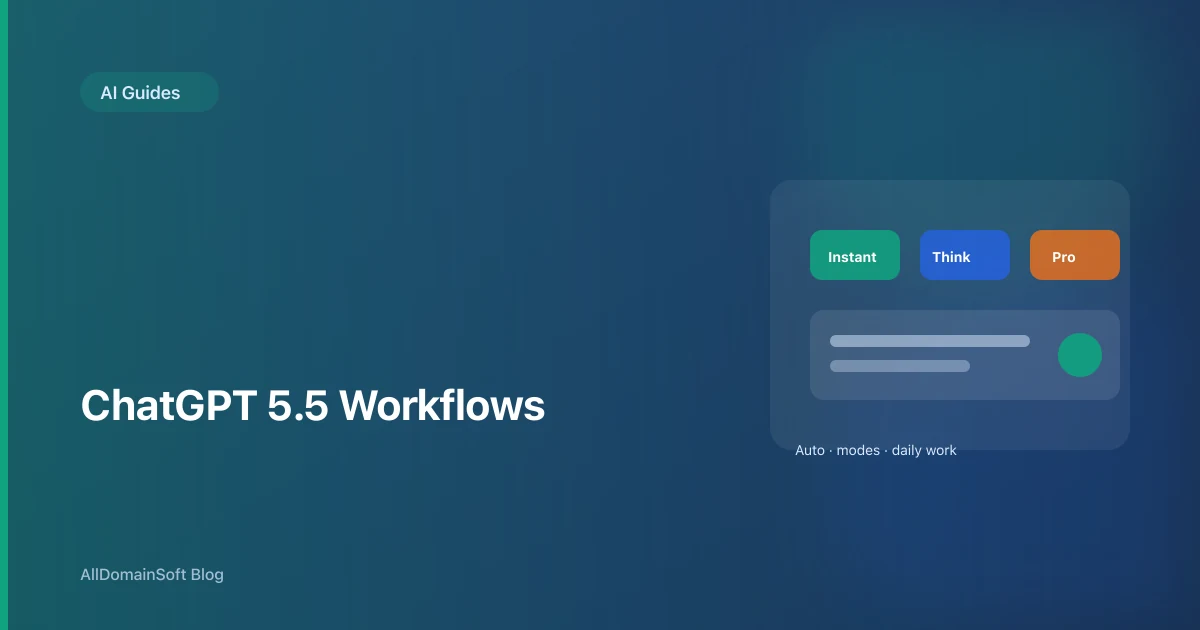
ChatGPT modes: which one to use
ChatGPT does not just have one speed anymore. You effectively choose how much reasoning the model applies.
| Mode | Best for | Trade-off |
|---|---|---|
| Auto (default) | Most daily work | Less control, usually the right balance |
| Instant | Fast facts, drafts, brainstorming | Less depth on hard problems |
| Thinking | Math, debugging, strategy, long analysis | Slower, uses more of your quota |
| Pro | High-stakes research, complex multi-step work | Slowest, highest cost tier |
Use Auto when
You are not sure. Auto routes simple prompts to faster paths and harder prompts to deeper reasoning. This is the right default for managers, marketers, and general knowledge work.
Use Instant when
You need speed: email drafts, meeting agendas, definitions, short summaries, first-pass outlines. If the answer fits in one screen, Instant is enough.
Use Thinking when
Accuracy matters more than speed:
- Debugging code with stack traces
- Financial or legal draft analysis (always verify with a professional)
- Comparing vendors with a scoring rubric
- Breaking a vague goal into a project plan
Tip: add "think step by step" or "show your reasoning, then give the final answer" if you are already in a capable mode.
Use Pro when
The task is expensive to get wrong: due diligence summaries, multi-document synthesis, advanced science or engineering questions, or long research briefs. Pro is overkill for "rewrite this paragraph."
Step-by-step: set up ChatGPT for real work
1. Confirm the model
Open ChatGPT, start a new chat, and check the model picker. You want GPT-5.5 (or the latest Instant default shown in your account).
2. Turn on useful connectors (optional)
In Settings, enable what you actually use: web browsing, file uploads, memory, Gmail or calendar connectors if available on your plan. Fewer connectors means less noise and fewer privacy surprises.
3. Create project chats
Do not mix everything in one thread. Use separate chats (or Projects) for:
- Product roadmap
- Hiring and HR drafts
- Personal learning
- Client-specific work (watch data sensitivity)
4. Pin your system instructions once
For recurring work, open Custom Instructions or a Project system prompt:
You are my staff engineer assistant.
Stack: React, Node, PostgreSQL.
Always: ask clarifying questions, propose tests, flag security risks.
Never: invent library APIs.
5. End sessions with a handoff note
Ask: "Summarize decisions and next steps as bullet points I can paste into Jira." This makes the next chat cheaper and cleaner.
Prompt patterns that work in 5.5
Role + task + format
Role: B2B SaaS product marketer.
Task: Write 5 LinkedIn post hooks for our offshore dev team offer.
Format: table with hook, angle, CTA.
Audience: UK startup founders.
Constraints beat vibes
Bad: "Make this better."
Good: "Cut to 120 words, 8th grade reading level, remove jargon, keep the pricing disclaimer."
Give examples
Paste one example of the tone you want. GPT-5.5 tracks style well when you show, not only tell.
Use files instead of paste walls
Upload the PDF, CSV, or doc. Ask for a structured extraction: "Return JSON with keys: risk, owner, deadline."
ChatGPT for coding (Codex and developer workflows)
Developers increasingly use ChatGPT alongside IDEs:
- Quick fixes: Instant mode + error message + relevant file
- Design reviews: Thinking mode + architecture description + non-goals
- Repo-scale work: Codex CLI or agent tools tied to your GitHub org (paid tiers)
Rules that still apply in 2026:
- Never paste production secrets or live customer data
- Ask for tests with every non-trivial code change
- Treat generated code as a draft until CI passes
For multi-hour refactors across many files, teams often pair ChatGPT with Claude Fable 5 in Claude Code. See how to use Claude Fable 5.
Using the ChatGPT API (GPT-5.5 family)
In the API, model names change over time. Check OpenAI's docs for the current slug (for example gpt-5.5 or chat-latest for the default Instant-class behavior).
Tune reasoning depth when supported:
reasoning: { effort: "low" }    // fast, cheaper
reasoning: { effort: "medium" } // balanced
reasoning: { effort: "high" }  // deep work
Use low for classification and extraction, medium for most app features, high only for agent steps where mistakes are costly.
Always log prompts, latency, token usage, and user feedback. Models update; your eval suite should catch regressions.
ChatGPT vs Claude vs Gemini: quick picker
| You need | Start with |
|---|---|
| Fast daily assistant with memory | ChatGPT 5.5 |
| Long codebase or document reasoning | Claude Fable 5 |
| Google Workspace native help | Gemini |
| Microsoft 365 copilot inside Office | Copilot |
| Open-source or self-hosted | Llama, Mistral, or vLLM stacks |
No single model wins every task. Power users keep two tabs and pick by job type.
Team policies that prevent chaos
If you roll ChatGPT out at work:
- Classify data: what can never go into any LLM
- Standardize on approved plans (Business/Enterprise) for audit trails
- Share prompt templates for support, sales, and engineering
- Measure time saved, not just licenses bought
- Train people on verification, not blind trust
Questions people ask
- Q: Should I leave ChatGPT on Auto? A: Yes for most users. Switch to Thinking or Pro only when you feel rushed answers are wrong, not just short.
- Q: Why does ChatGPT feel different from last month? A: Default models update often. GPT-5.5 Instant rolled out in June 2026 with personalization and search changes.
- Q: Is Thinking mode worth it for coding? A: For tricky bugs and design trade-offs, yes. For boilerplate, Instant is fine.
- Q: ChatGPT or Claude for my startup? A: ChatGPT for general team productivity. Claude Fable 5 when engineering needs long context and agentic coding sessions.
- Q: Do I still need a prompt engineer? A: For one-off chat, no. For production apps with evals, guardrails, and tool calling, yes. See our Prompt Engineer guide.
Related reading
- How to use Claude Fable 5 and Mythos 5
- Agentic AI Engineer career guide
- AI in IT staffing and talent acquisition
- AI Engineering teams
Need engineers who ship with these tools?
ChatGPT and Claude are force multipliers when your team already has strong engineering discipline. AllDomainSoft builds dedicated AI squads in Gurgaon: agent engineers, full-stack developers, and QA who work in your repos and rituals.